
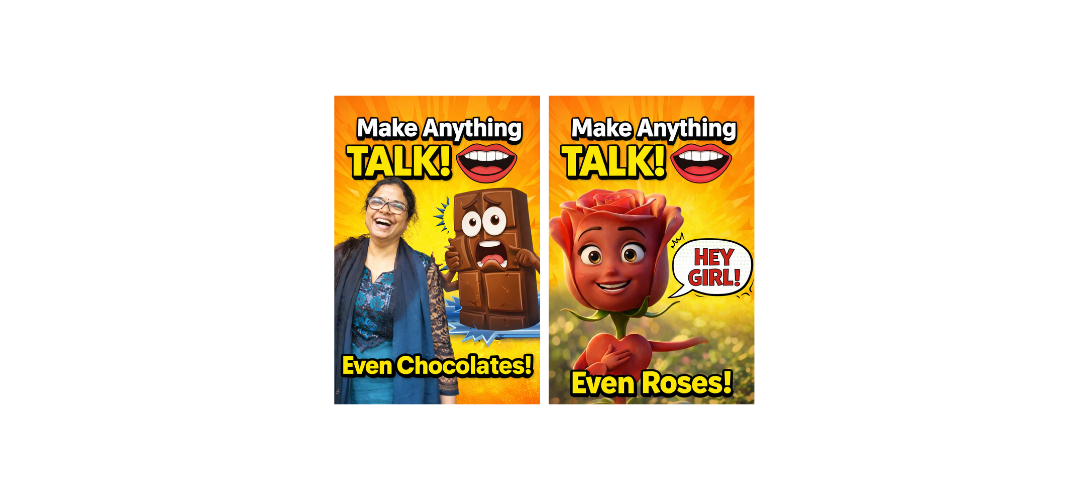
Turn Simple Ideas into Viral Videos Using AI (Beginner Guide)
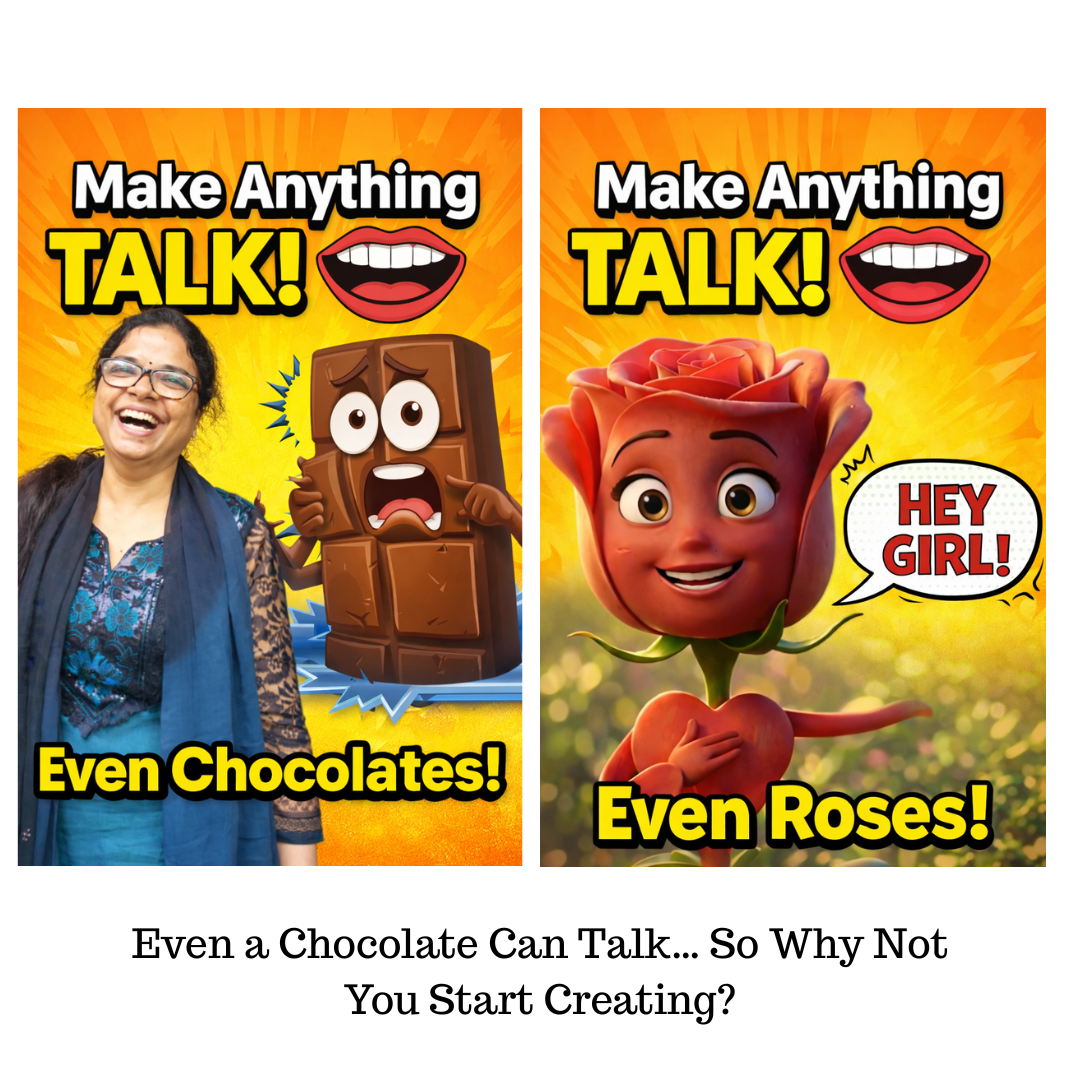
Quick Summary (What You’ll Learn)
- What are object talking videos
- Why they are going viral on Instagram & YouTube
- Step-by-step process to create them using AI
- Tools you need (ChatGPT, Gemini, Flow, Canva)
- Easy ideas you can try today
- Answers to common beginner questions
What Are Object Talking Videos?
Object talking videos are short videos where everyday items like:
- Chocolate
- Toothbrush
- Flowers
- Mobile phone
👉 speak like humans and deliver a message.
These videos are:
- Simple
- Fun
- Easy to understand
- Highly engaging
That’s why they perform well on Reels, Shorts, and social media.
💡 Why Object Talking Videos Are Going Viral
Here’s the simple reason:
👉 People don’t stop for ads
👉 People stop for something unusual
A talking object is:
- Unexpected
- Entertaining
- Relatable
This makes people watch, like, and share.
🧠 Step-by-Step Guide to Create Object Talking Videos
This guide is designed for:
- Students
- Homemakers restarting careers
- Beginners learning AI & digital marketing
✅ Step 1: Generate Script Using ChatGPT
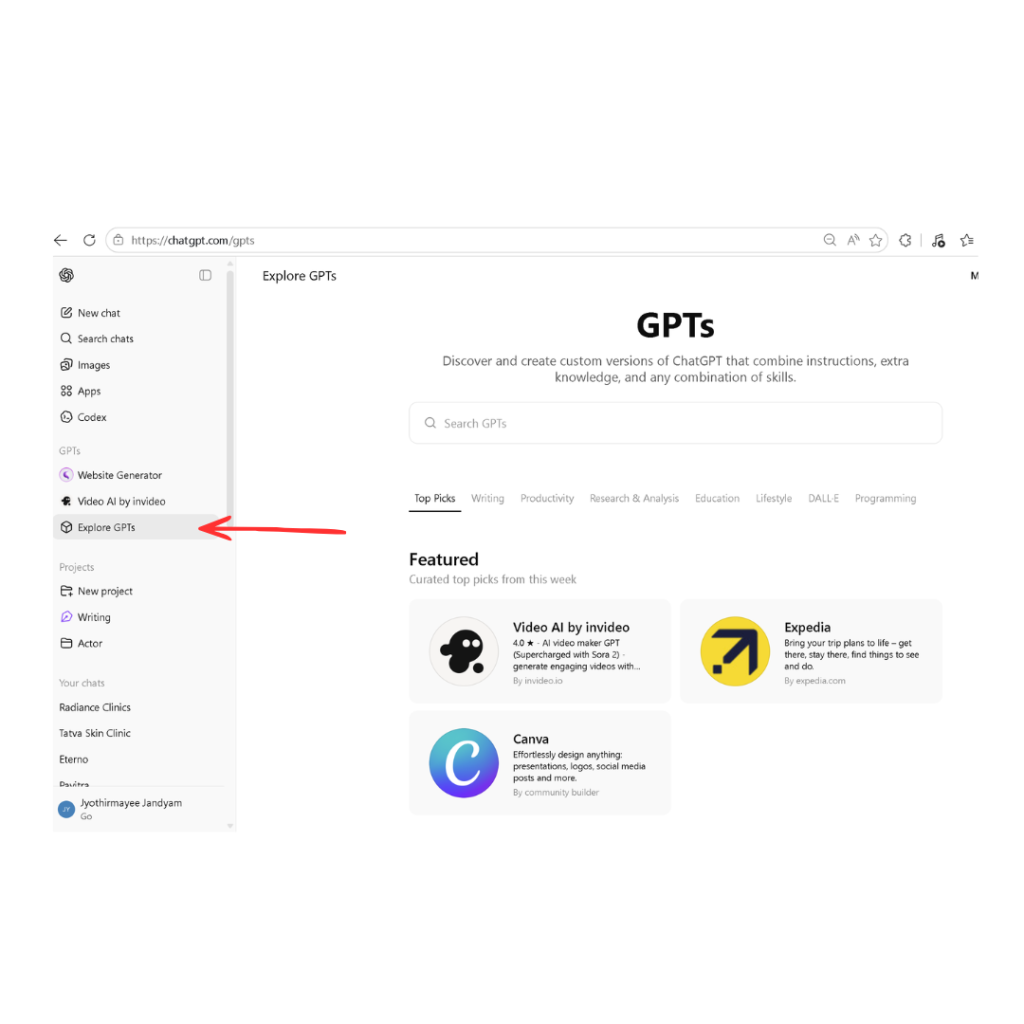
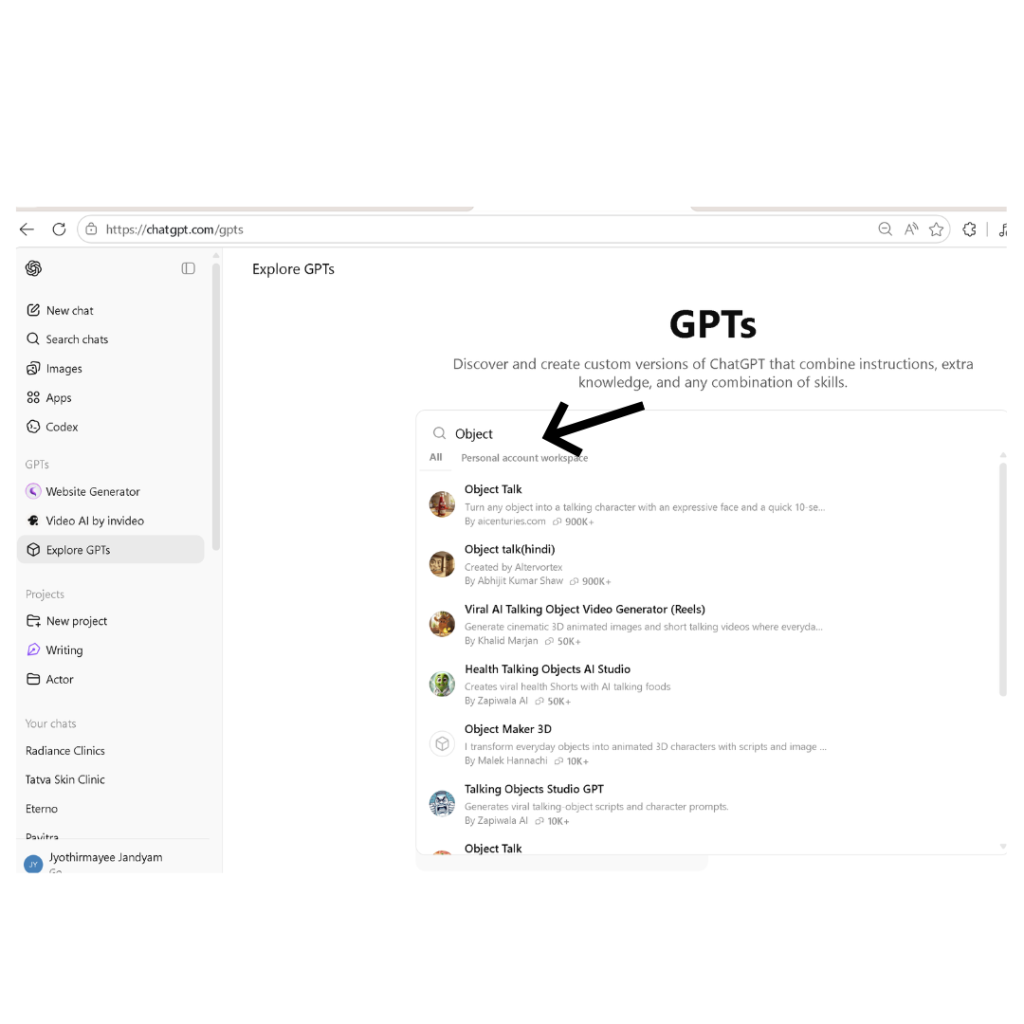
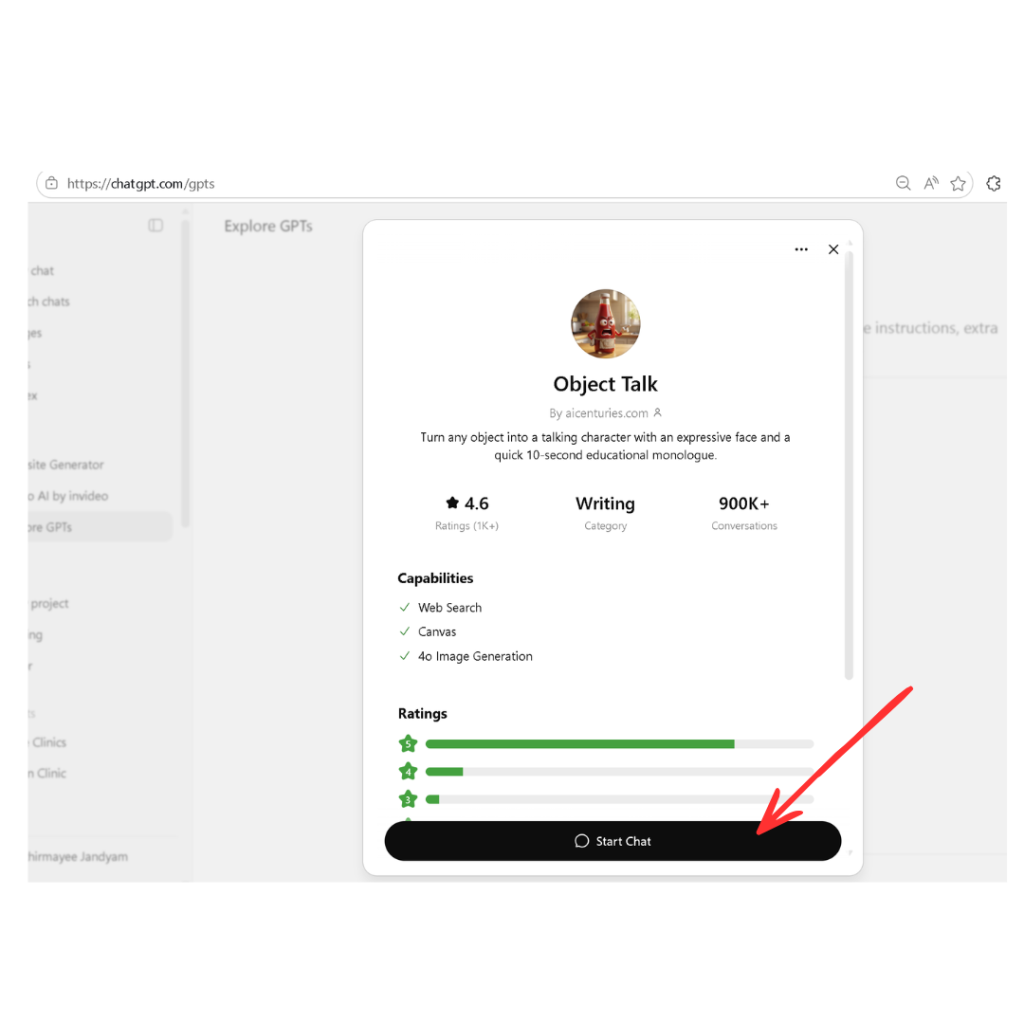
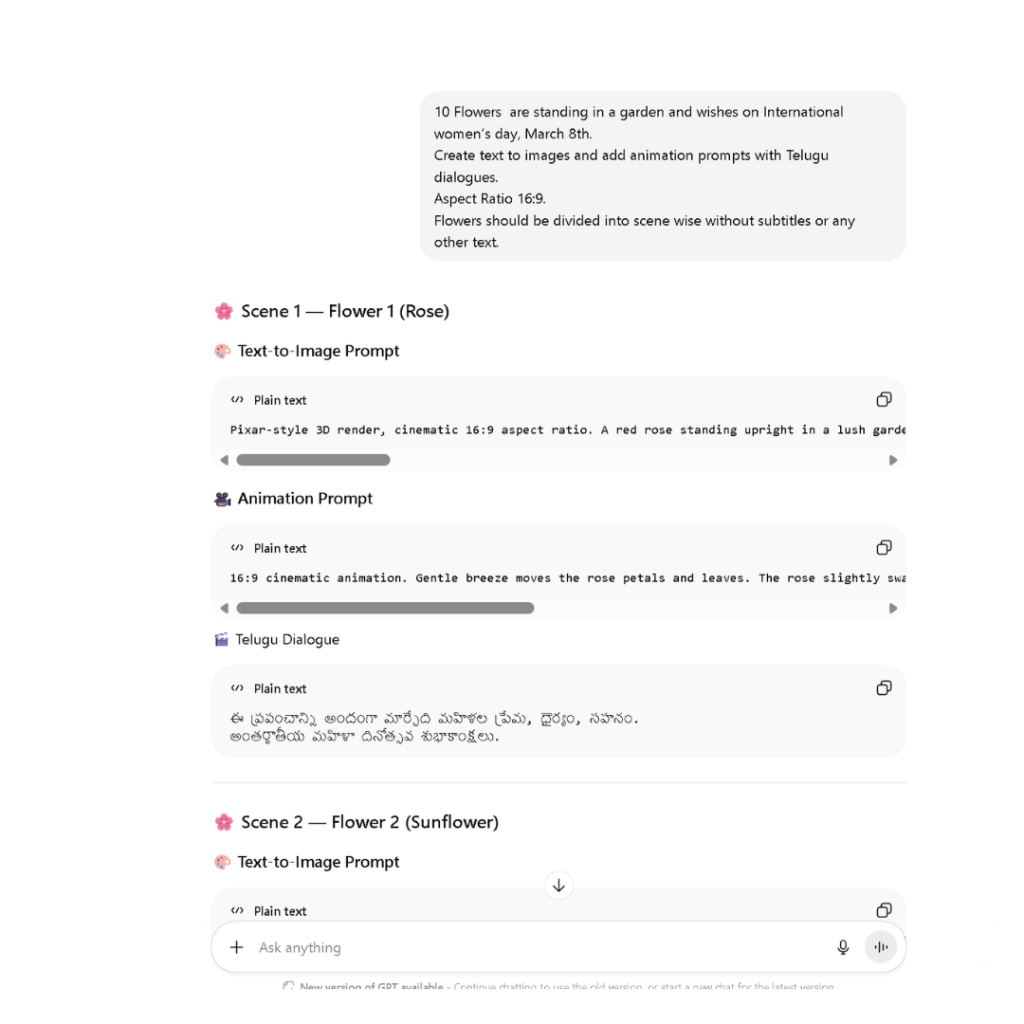
Open ChatGPT → Go to Explore GPTs → Search Object Talk
Use this prompt:
A chocolate talking about cavities.
Create text to image prompts, animation prompts, and dialogues.
Aspect ratio 16:9.
No subtitles.
Divide into scenes.
👉 You will get:
- Image prompts
- Animation prompts
- Dialogue
This is your full video script.
✅ Step 2: Create Images in Google Gemini
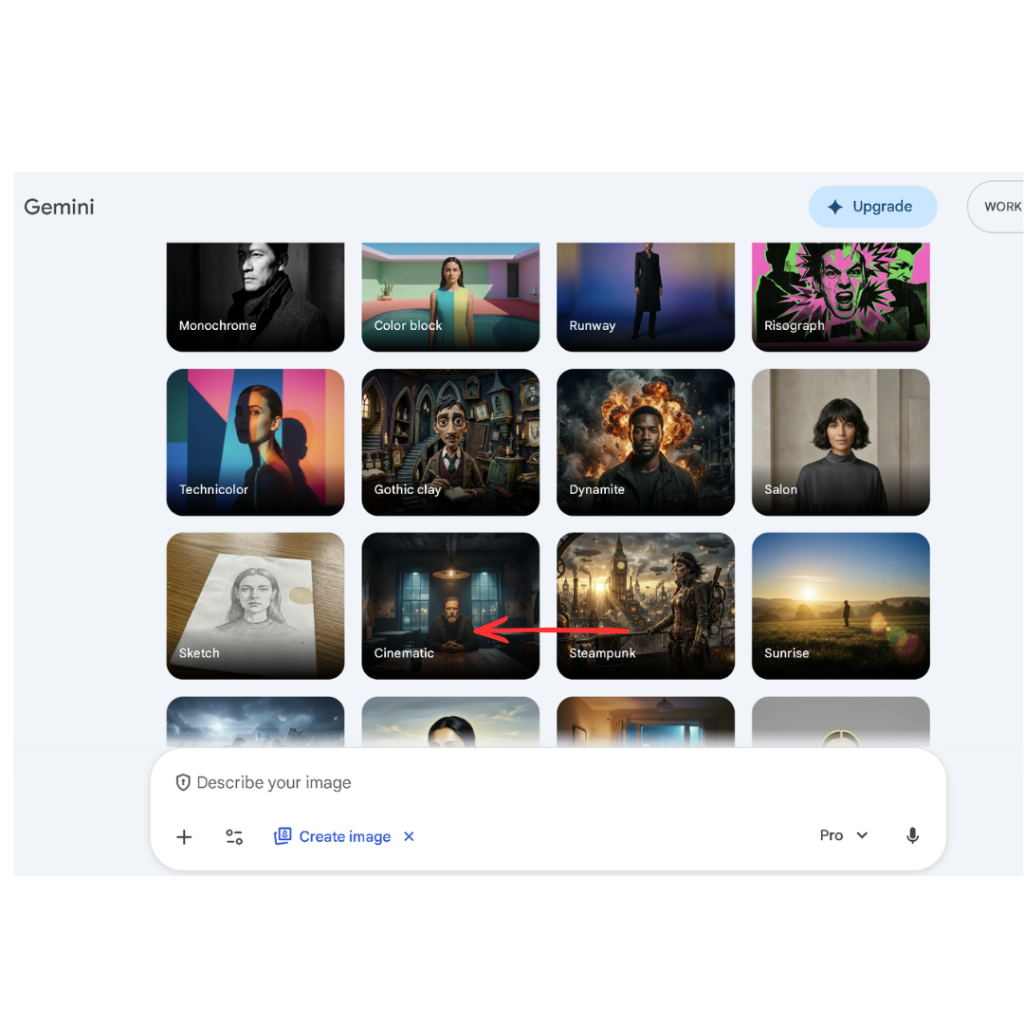
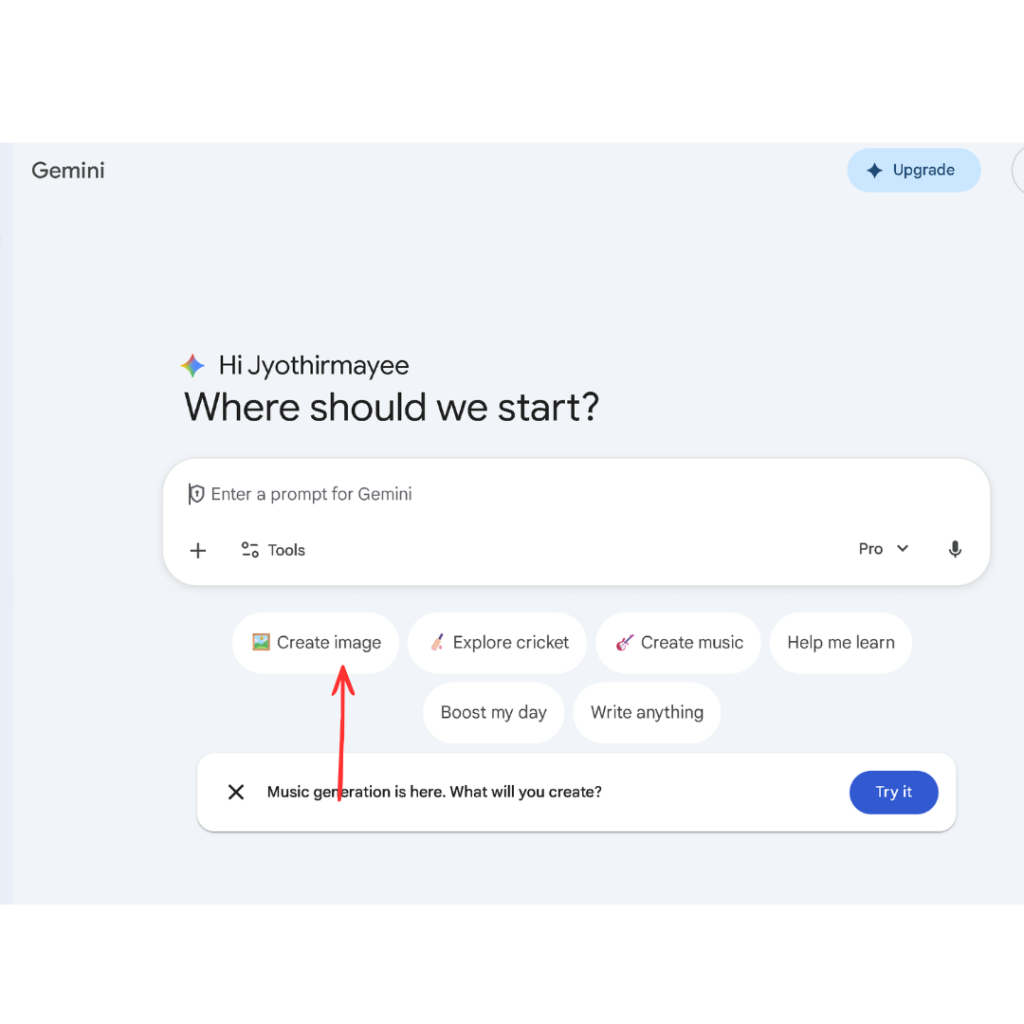
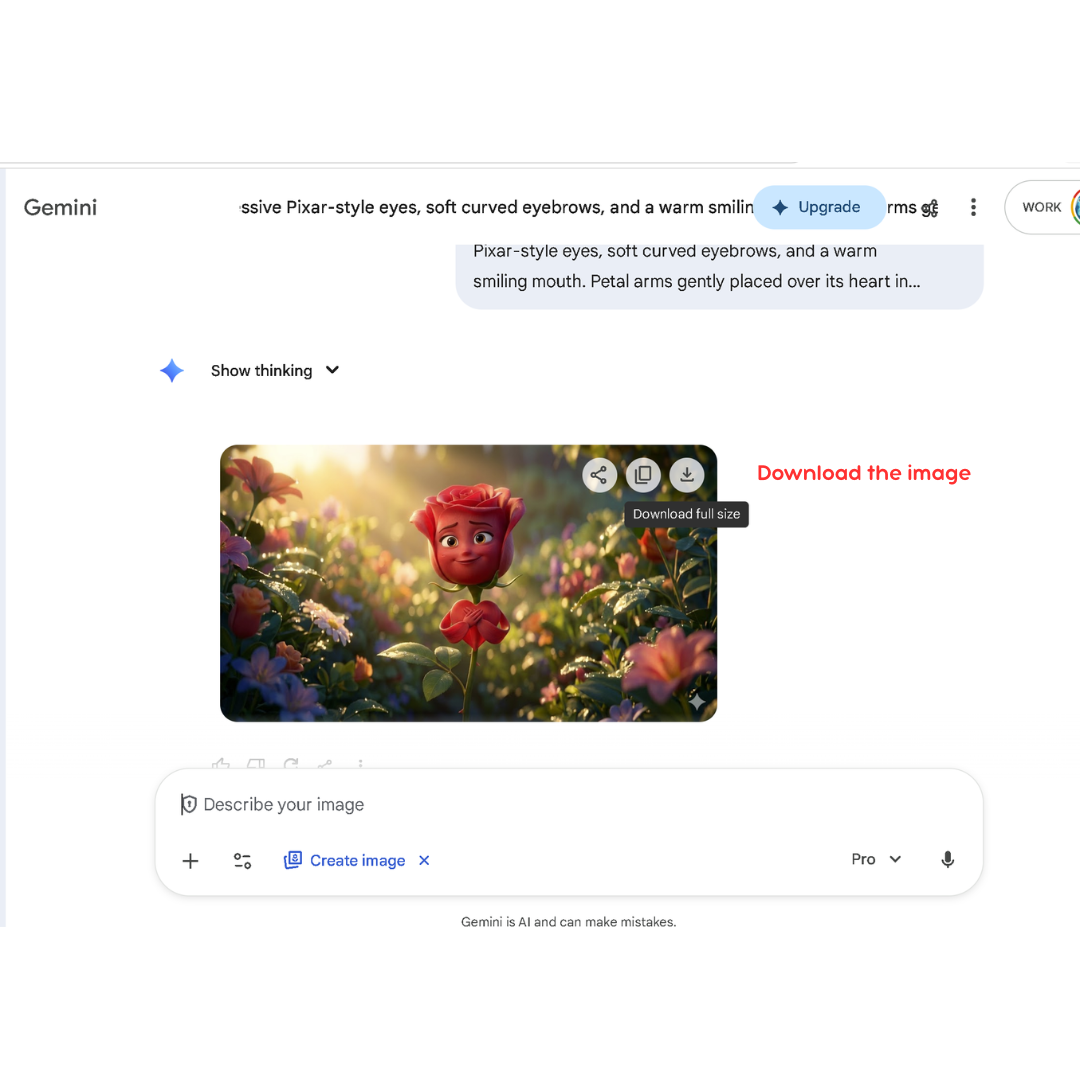
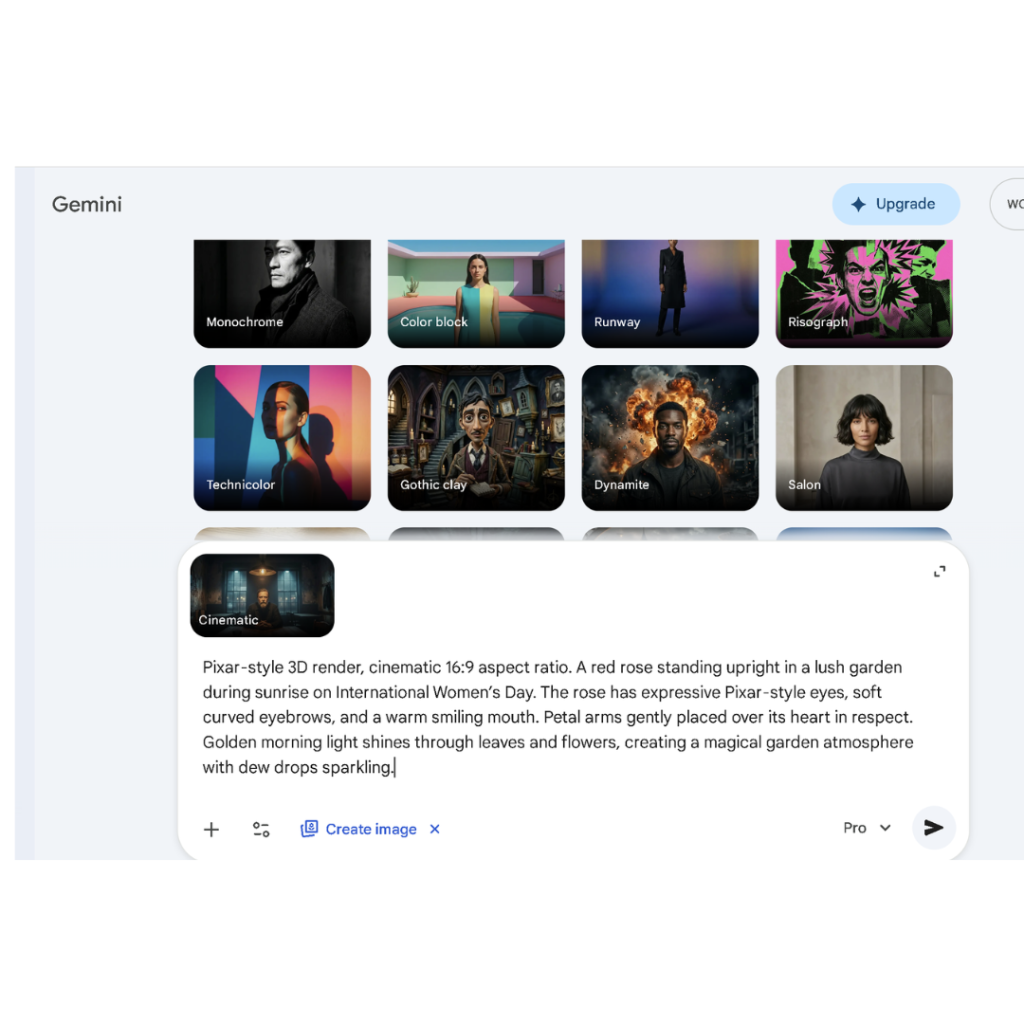
- Open Google Gemini
- Click “Create Image”
- Paste image prompt
- Generate image
👉 Download the image
Now your object has expressions and personality.
✅ Step 3: Add Animation Using Flow
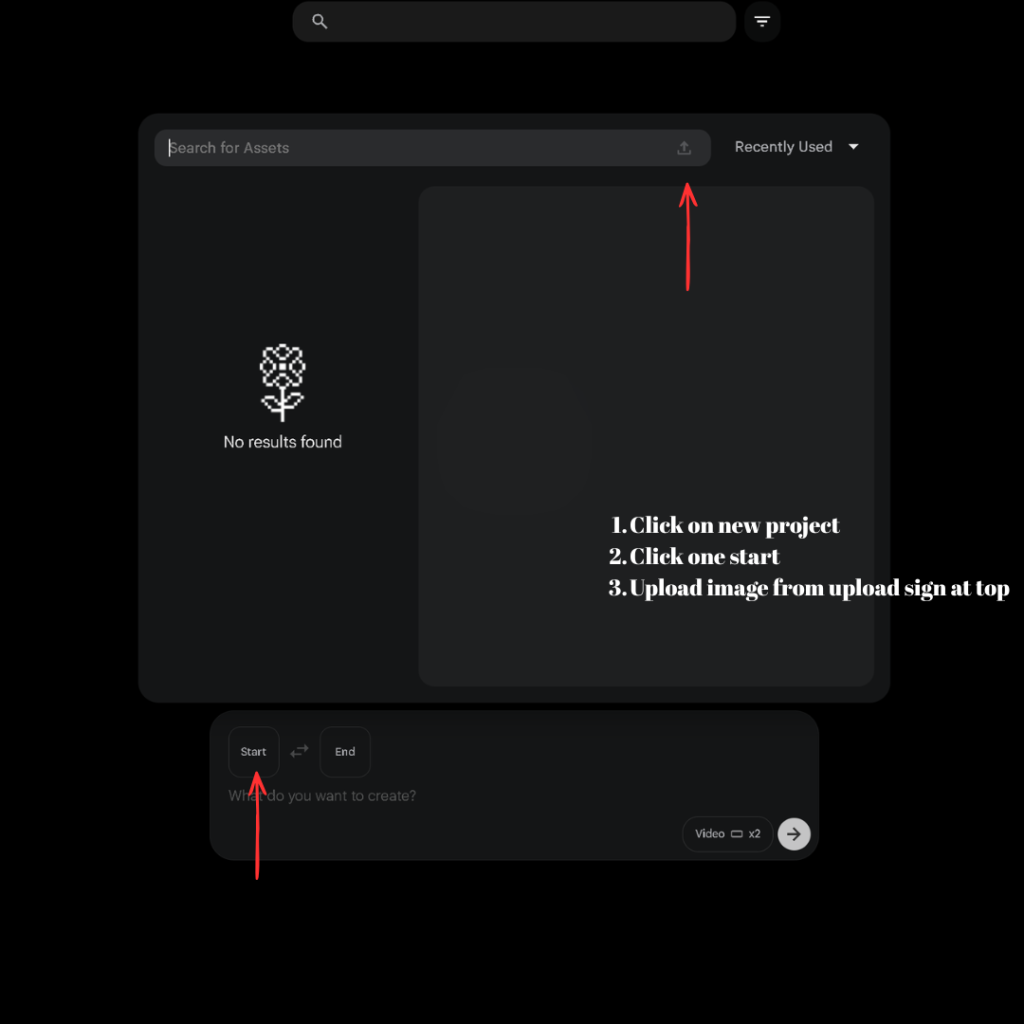
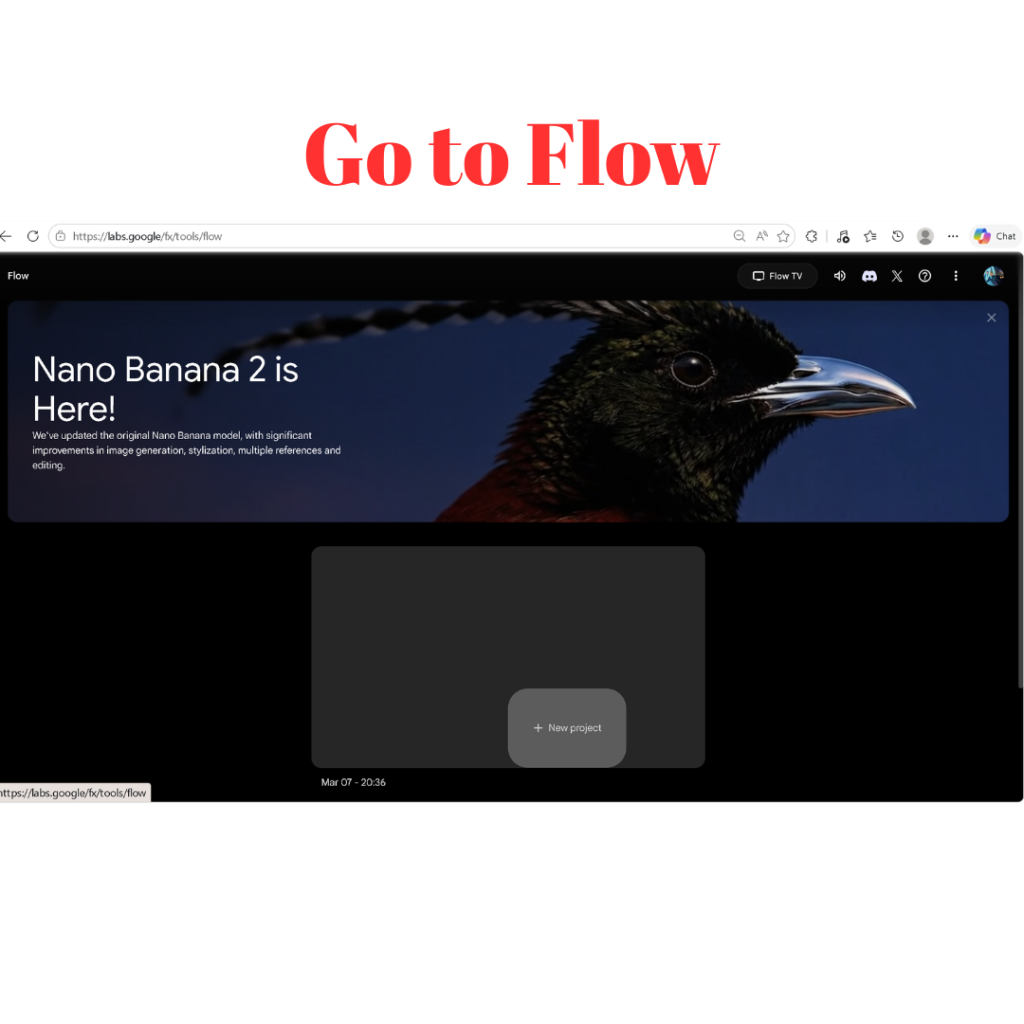
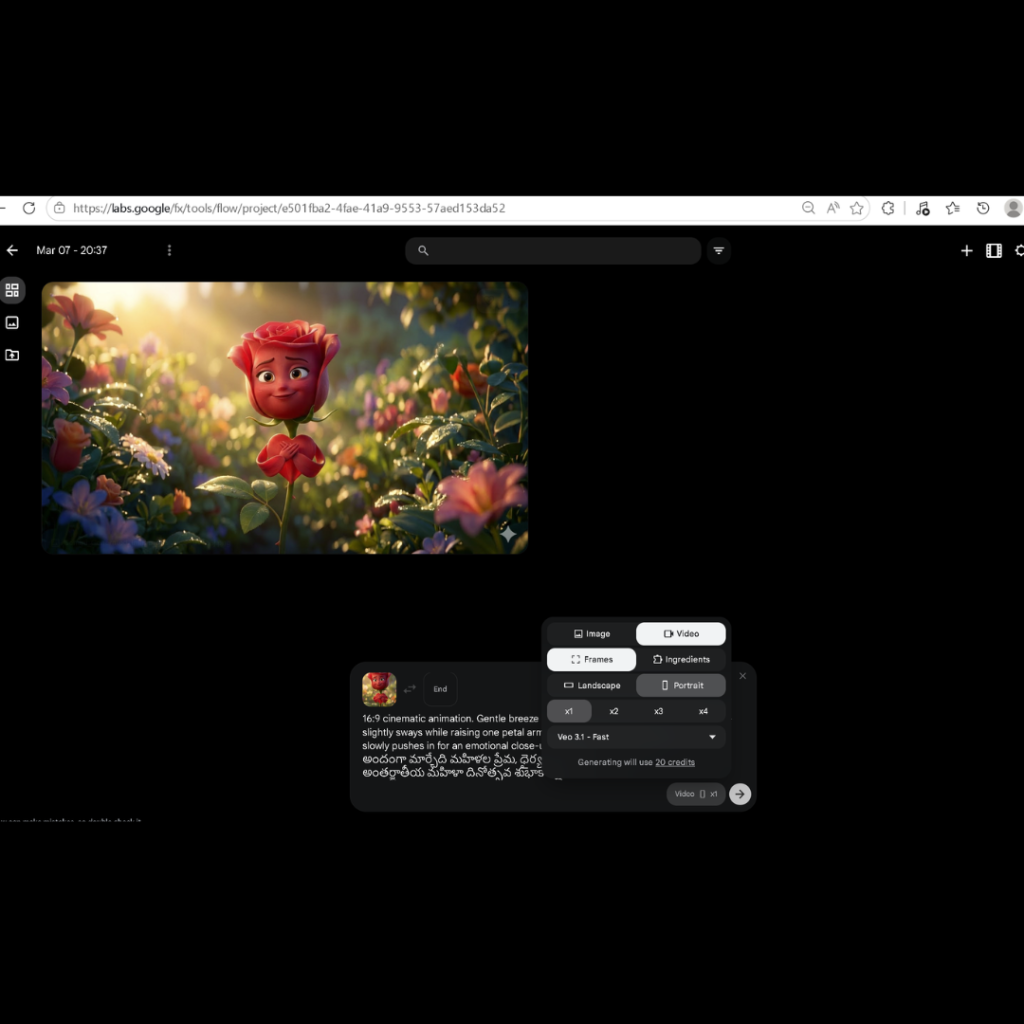
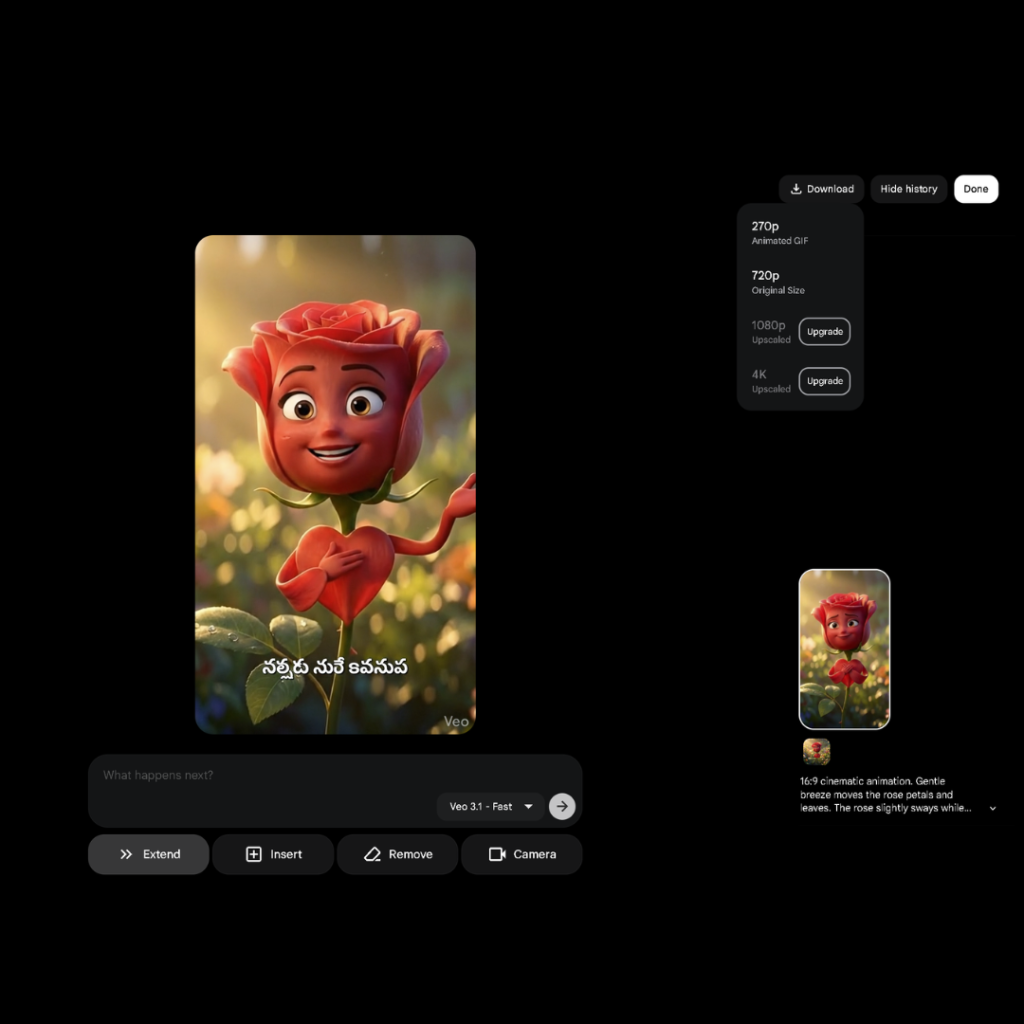
Go to Flow tool
- Click “New Project”
- Click “Start”
- Upload your image
Now:
- Paste animation prompt
- Paste dialogue
- Choose format (9:16 or 16:9)
Click Enter
👉 Your object becomes animated.
✅ Step 4: Download Animated Scenes
Download each scene video.
Repeat this process for all scenes.
✅ Step 5: Combine Videos in Canva
- Open Canva
- Upload all videos
- Arrange in order
- Add voice if needed
Download final video.
🎬 Best Object Talking Video Ideas
- Chocolate warning about sugar
- Tooth talking about brushing
- Flower wishing festivals
- Phone complaining about overuse
- Book motivating students
🎯 Tips to Make Your Videos Viral
- Keep video under 60 seconds
- Use simple English
- Add emotion (funny or motivational)
- Focus on one clear message
- Be consistent
💥 Final Takeaway
You don’t need:
- Advanced editing skills
- Expensive tools
- Perfect English
You need:
👉 Simple idea
👉 Clear process
👉 Regular practice
Start with one video today.
❓ Frequently Asked Questions (FAQs)
1. Can beginners create object talking videos?
Yes. This method is designed for beginners. You only need basic tools like ChatGPT, Gemini, and Canva.
2. Do I need video editing skills?
No. The tools handle most of the work. You only need to follow simple steps.
3. Which platform is best to upload these videos?
You can upload on:
- Instagram Reels
- YouTube Shorts
4. How long should the video be?
Keep it between 30 to 60 seconds for best results.
5. Can I earn money from these videos?
Yes. You can:
- Grow your social media
- Get freelance projects
- Build a personal brand
6. What type of content works best?
Content that is:
- Funny
- Relatable
- Educational
- Emotional
7. Any other websites you suggest to create such AI Videos?
Yes. My person favorite website to create AI generated videos Sjinn
🎯 Final Line
👉 If your content makes people pause and watch… it works.
Start today.
One object. One idea. One video 🚀
Also check Road Maps to learn different skills
Download the pdf


Harshitha L
It’s very nice
Durga Prasad
Hi